
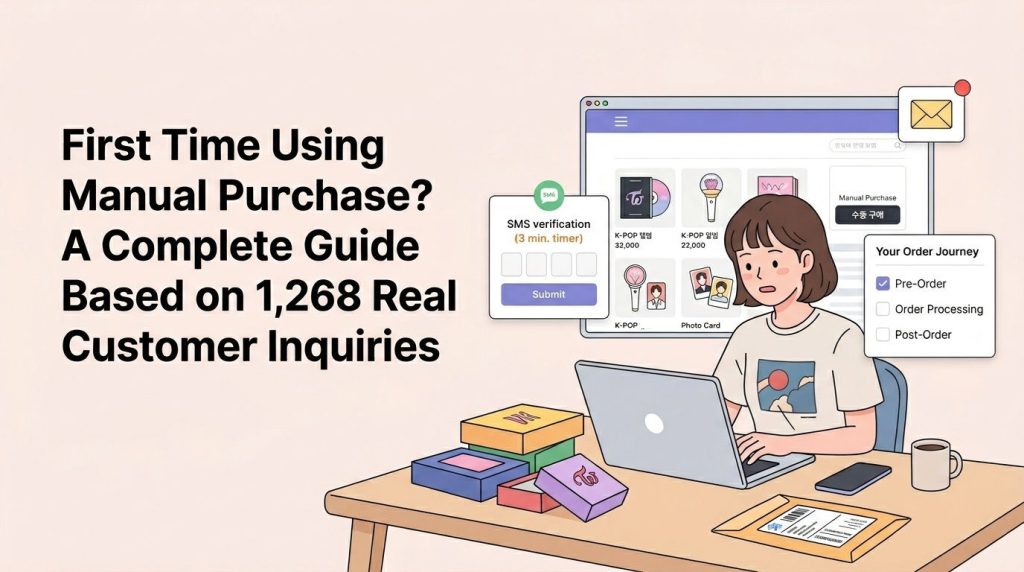
1. Are You Facing These Challenges? 😰
“I want to buy a limited edition album, but my international card doesn’t work…”
“I need a Korean phone number to enter a fan sign event…”
“It’s a members-only site—how do I log in?”
If you’re looking for a Paysable Manual Purchase guide, you’ve come to the right place. After analyzing 1,268 Manual Purchase-related inquiries received over the past year (February 2025 – February 2026), we’ve created this guide focusing on the areas where customers actually struggle the most.
2. What is Manual Purchase Service? 🛒
When You Need Manual Purchase
Paysable’s Manual Purchase is a service where Paysable staff purchase items on your behalf when direct purchase is difficult.
Use this service when:
- ✅ The shopping site blocks international card payments
- ✅ Korean phone number verification is required
- ✅ Members-only sites (login information needed)
- ✅ Fan sign/fan meeting applications (additional information required)
- ✅ Limited edition/first-come-first-served items (quick purchase needed)
- ✅ Complex option selection is difficult
ℹ️ Note: If you only need simple payment processing, the Direct Payment service has lower fees (1,000-2,500 KRW). Manual Purchase is suitable when direct purchase is impossible or complex.
Fee Information
| Product Amount | Fee |
|---|---|
| Up to 10,000 KRW | 2,500 KRW |
| 10,001-100,000 KRW | 3,000 KRW |
| 100,001-300,000 KRW | 4,000 KRW |
| 300,001 KRW and above | FREE |
You will be charged the total of product amount + fee + domestic shipping. See the full fee table for all services.
💡 Priority Processing (Optional): Need it faster? Choose Prioritize My Request when applying — your order is processed within 1 business day for double the standard fee.
3. Pre-Order Preparation 📋
Data analysis shows that 36.3% of customer inquiries were requests for additional information during the purchase process. Preparing in advance makes the process much faster and smoother!
Essential Checklist
✅ 1. Check Email/Text Notification Settings
Why is this important?
Seller sites very frequently request real-time verification codes. SMS verification codes must be entered within 3 minutes, so you need to be able to check them immediately. Email verification usually allows 10-30 minutes, but quick checking is still recommended.
Real Example:
"The verification code has been sent to your email.
Please provide the code within 3 minutes."
How to Prepare:
- Enable notifications for the email used for Paysable registration
- Activate push notifications in your smartphone email app
- Use an email you check frequently if possible
✅ 2. Prepare Member-Only Site Account Information
When purchasing from members-only sites, you need to provide login information.
Information to Prepare:
- Username/Email
- Password
- Login method (Email login / SNS login, etc.)
Security Tips:
- 💡 Using a temporary password is recommended (change after purchase)
- 💡 Email login is safer than SNS login
Real Example:
"Please use the Login with Email option!
email: example@gmail.com
password: ******"
✅ 3. Information Needed for Fan Sign/Event Applications
Various information may be required when applying for fan signs or fan meetings.
Commonly Requested Information:
- Name (real name or nickname)
- Date of birth
- Contact information (email or SNS ID)
- Messenger information (KakaoTalk, Line, etc.)
- Application message (message to the artist)
Real Example:
"Applicant name: ***
Birthday: 2002/04/16
Messenger type: Line
Messenger ID: ***"
ℹ️ Note: Required information varies by event. If you provide the event page URL when applying for Manual Purchase, we can guide you on the necessary information.
✅ 4. Personal Customs Clearance Code (If Needed)
This may be required for some high-value items or specific product categories.
How to Obtain:
Free issuance available at Korea Customs Service Personal Customs Clearance Code
ℹ️ Note: This is not needed in most cases, and Paysable will provide separate guidance if required.
4. Responding During Order Processing 🔔
After submitting a Manual Purchase request, additional information requests may come while Paysable staff processes your purchase. This is a key part of the Paysable Manual Purchase process — staying responsive ensures faster order completion.
Real-Time Verification Code Requests (Most Frequent)
Situation:
When the seller site sends a verification code via email or SMS
How to Respond:
- 📧 Check email or text message immediately
- 💬 Send the code via Paysable 1:1 Inquiry
- ⏱️ SMS verification has a 3-minute limit, so respond as quickly as possible
⚠️ Caution: If retried 5 or more times within a short period, verification may be temporarily blocked (10-30 minutes).
Time Zone Consideration:
Applying during Korean business hours (weekdays 09:00-18:00 KST) allows for smoother real-time response.
Additional Information Requests
Frequently Requested Information:
- Shipping address information (when seller requires direct input)
- Option selection confirmation (color, size, etc.)
- Supporting documents (student discounts, etc.)
How to Respond:
- Respond quickly when Paysable requests via message
- Ask questions about unclear points (prevents providing incorrect information)
Checking Order Status
Real-time status checking available at Manual Purchase History
Main Statuses:
- Pending: Before purchase processing or waiting for additional information
- Processing: Purchase in progress
- Completed: Purchase completed, waiting for warehouse arrival
ℹ️ Note: Generally processed within 1-3 business days after application, but may vary depending on seller site conditions.
5. Post-Order Management 📦
Delivery Tracking and Warehouse Arrival Confirmation
After purchase completion, when the seller ships, it will be delivered to the Paysable warehouse.
How to Check:
- Check arrival at Package List
- Identify your package by your Personal Code (#00000-A)
- Set up arrival notifications (configurable in My Page)
Typical Delivery Times:
- CJ Logistics: 1-2 days
- Korea Post: 1-3 days
- Other courier services: 2-3 days
ℹ️ Note: Delivery time is calculated from when the courier actually picks up the package. Additional time may be required between seller’s shipping processing and pickup.
If Package Doesn’t Arrive at Warehouse:
If it hasn’t arrived by the expected date, please refer to this guide.
Package Inspection and International Shipping
Next steps after warehouse arrival:
- Package Check (Optional)
You can check the product condition with Package Check Service (Photo 1,500 KRW / Video 5,000 KRW) - Apply for International Shipping
Check real-time quote at Shipping Fee Calculator and apply - Use Consolidated Shipping
You can save on shipping costs by combining multiple packages into one (refer to Consolidated Shipping Guide)
💡 Tip: Paysable offers free storage for up to 1 year, so you can save significantly on shipping costs by collecting multiple items and shipping them together!
6. Handling Problem Situations ❗
Data analysis shows that 15.5% of customers experienced cancellations/refunds. Here are the main reasons and how to respond.
Out of Stock/Unable to Purchase (Most Frequent)
Situation:
Seller out of stock, purchase deadline expired, site errors, etc.
Response:
- Paysable automatically processes refunds
- Refund method: Balance or original payment method (selectable)
- Refund processing time: Usually 1-3 business days
Alternative Product Purchase:
Guidance provided if the same product is available from another seller
Order Cancellation/Modification
When Cancellation is Possible:
Immediate cancellation available before purchase processing (Pending status)
How to Cancel:
- Request cancellation via 1:1 Inquiry
- Specify order number
If Already Purchased:
Cancellation/refund availability varies by seller policy. Paysable will coordinate with the seller.
Reordering for Promotion Participation
Real Example:
"I would like to participate in the promotion for purchases over 50,000 KRW!
Please refund and I will make another order."
Response:
- Order amount adjustment possible if before processing
- Cancellation and reorder required if already purchased
💡 Tip: Check ongoing promotions in Notices before applying for Manual Purchase!
7. Frequently Asked Questions (FAQ) ❓
Q1. I checked the verification code late and it expired. What should I do?
A. Most sites allow verification code resending. When Paysable staff requests again, please provide the new code.
Cautions:
- SMS verification codes have a 3-minute validity period
- Verification may be blocked for 10-30 minutes after 5+ retry attempts
- Checking as quickly as possible is recommended
Q2. How long does it take after applying for Manual Purchase?
A. Generally processed within 1-3 business days, but may vary depending on:
- Customer response time when additional information is requested
- Seller site’s order processing speed
- Stock situation for limited edition/first-come-first-served items
ℹ️ Note: Need it faster? Choose Prioritize My Request when applying — your order is guaranteed to be processed within 1 business day for double the standard fee.
Q3. Is it safe to provide login information for members-only sites?
A. Paysable prioritizes customer information protection. You can enhance security with these methods:
- Use a temporary password and change it immediately after purchase completion
- Use email login rather than SNS login
- Creating a separate account is recommended for accounts with important personal information stored
Q4. What’s the difference between Manual Purchase and Direct Payment?
A. Please check the following:
- Direct Payment: Customer places order directly, Paysable only handles payment (fee 1,000-2,500 KRW)
- Manual Purchase: Paysable staff handles entire process from ordering to payment (fee 2,500-4,000 KRW, FREE for 300,001 KRW and above)
If you only need simple payment, Direct Payment is more economical.
Q5. I can’t see my package in the warehouse. What should I do?
A. Please check the following:
- Whether the seller actually shipped (check tracking number)
- Whether typical delivery period has passed (domestic courier 1-3 days)
- Search by Personal Code at Package List
If still not visible, refer to Missing Package Troubleshooting Guide or contact us via 1:1 Inquiry.
8. Key Summary and Checklist ✅
3 Keys to Manual Purchase Success
- 📧 Prepare for Real-Time Response: Enable email/text notifications, respond quickly
- 📋 Prepare Information in Advance: Account information, event application information ready beforehand
- 💬 Active Communication: Inquire immediately about unclear points
Final Checklist Before Manual Purchase Application
This Paysable Manual Purchase guide covered everything you need — now run through this final checklist:
- [ ] Email/text notification settings confirmed
- [ ] Members-only site login information prepared (if applicable)
- [ ] Fan sign/event application information prepared (if applicable)
- [ ] Ongoing promotions checked
- [ ] Product URL and option information entered accurately
Ready now? 🎉
Start right away at Apply for Manual Purchase!
🎁 Bonus: Every Manual Purchase order earns Event Points based on your membership tier (up to 2.0% of payment) — they accumulate automatically and can be used like cash across all Paysable services.
If you have any questions, check the FAQ or feel free to contact us anytime via 1:1 Inquiry. Paysable is here to help! 💙
💡 Data Source: This guide was created by analyzing 1,268 Manual Purchase-related customer inquiries received over one year from February 5, 2025 to February 4, 2026. It is structured around the difficulties most frequently experienced by actual customers, and some content may change depending on service policies and external circumstances.