
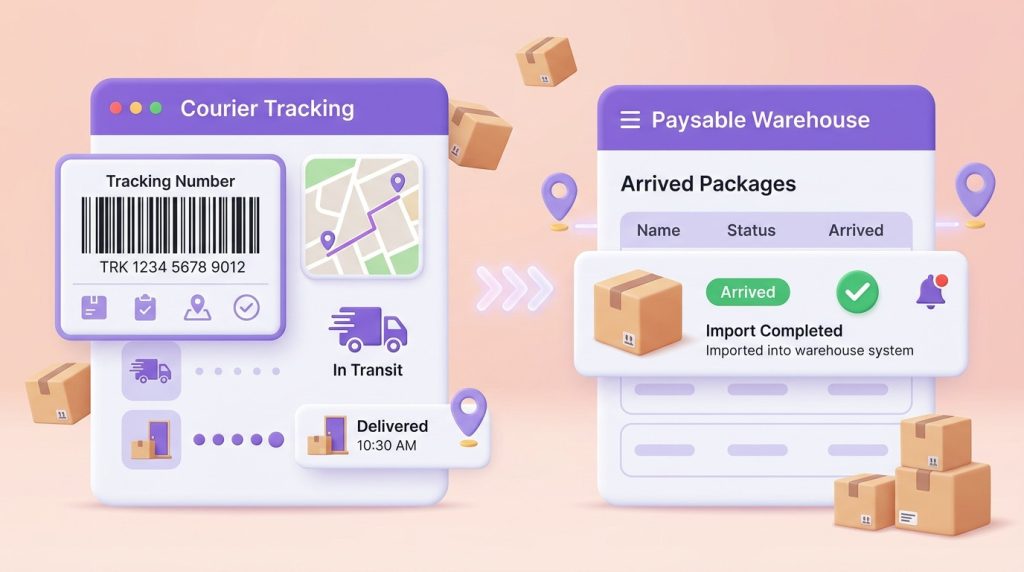
1. Have You Ever Experienced This?
You’ve been refreshing the courier’s tracking page all day. Finally, you see “Delivered”—your heart races with excitement as you log into Paysable.
But when you check your Package List… nothing’s there.
“Did something go wrong? Did my package get lost?”
→ Don’t worry! This situation is more common than you think, and in most cases, your package has arrived safely. It just takes a little time for the system to update.
After reading this Paysable warehouse tracking guide, you’ll fully understand what tracking numbers are, how to use them, and how to verify your package arrivals.
2. What Is a Tracking Number?
A tracking number (also called a waybill number) is a unique identification code assigned to your package by the courier. Think of it as your package’s ID number.
With this number, you can:
- ✅ Check where your package is in real-time
- ✅ Verify if it has arrived at Paysable’s Warehouse
- ✅ Quickly trace it if any issues arise
Common tracking number formats by courier:
💡 Tip: Tracking numbers usually consist of numbers only, and the number of digits varies by courier.
3. Where Can I Find My Tracking Number?
There are several places where you can find your tracking number:
Method 1: Check the Seller/Shopping Mall
This is the most common method. You can find it in the Order History or Delivery Tracking page of the shopping mall where you placed your order.
Example paths:
- Weverse Shop: My Page → Order History → Track Delivery
- Yes24: My Page → Order/Delivery Status
- Aladin: My Page → Order History
Method 2: Check Your Notifications
Many shopping malls send tracking numbers via SMS, email, or KakaoTalk notifications when they ship your order. Check your message inbox.
Method 3: If You Used Paysable’s Manual Purchase
If you used Paysable’s Manual Purchase service, you can find the tracking number in your Manual Purchase history.
4. Understanding Delivery Status Messages
The status messages you see when tracking your package can be confusing. Here’s what the main statuses mean:
⚠️ Note: “Delivered” doesn’t mean it’s immediately reflected in Paysable’s system. Import processing takes additional time.
5. How Long Does Import Processing Take?
Understanding Paysable warehouse tracking timelines helps set the right expectations. Here’s what to expect from “Delivered” to appearing in your Package List:
Why isn’t it reflected immediately?
- Physical inspection time: Staff physically verify and register each package in the system
- Personal Code matching: Your Personal Code on the package is matched with your member information
- Photo documentation: Import photos are taken for records
💡 Tip: Curious about shipping costs? Check the Shipping Fee Calculator while you wait!
6. How Do I Receive Import Notifications?
Paysable sends you a notification when your package is imported.
How to check notifications:
- Verify your notification settings in My Page
- Make sure email notifications are enabled
- Enable push notifications in the Paysable app (if using the app)
If you’re not receiving notifications:
- Check your spam folder
- Verify your email address is correct in My Page
- Make sure notification settings are set to “Receive”
7. Troubleshooting by Situation
Case 1: Status Shows “Delivered” But I Don’t See It in My Package List
This is the most common inquiry type. Most cases are resolved by following these steps:
Step 1: Wait a Sufficient Amount of Time ⏰
Please wait at least 2 business days after delivery completion. During high-volume periods, it may take up to 3 business days.
Step 2: Verify Your Personal Code 🔍
Check if your Paysable Personal Code was correctly included in the shipping address. If the Personal Code was missing or entered incorrectly, your package may be classified as an “Unidentified Package.”
You can find your Personal Code in My Page > My Warehouse Address section. The code is in the format #00001-A and is displayed as part of your Korean shipping address.
#00001-AStep 3: Submit a 1:1 Inquiry 📩
If your package still doesn’t appear after 2 business days, please submit a 1:1 Inquiry with the following information:
Required information:
- Tracking number
- Courier name
- Sender/shopping mall name
- Delivery completion date
💡 Reference: For more detailed troubleshooting, please refer to the “My Package Isn’t Showing Up!” guide.
Case 2: I Don’t Know My Tracking Number
Situation 1: If you ordered directly
Log into the shopping mall where you placed your order and check your order history. Most shopping malls update the tracking number within 1-2 days after shipping.
If there’s no tracking number yet:
- The seller likely hasn’t shipped it yet
- Contact the shopping mall’s customer service
Situation 2: If you used Paysable’s Manual Purchase
You can check the tracking number in your Manual Purchase history. The tracking number will appear once the order status changes to “Shipped.”
Situation 3: If it was a gift
Please ask the person who sent it for the tracking number. Without a tracking number, package tracking is difficult.
8. Other Helpful Services
Package Check 📷
After your package arrives, if you’re curious about the contents, try the Package Check service.
- Photo: 1,500 KRW/package
- Video: 5,000 KRW/package
This is useful when you’re curious about random photocard results from albums or want to check the condition of your items in advance.
Up to 1 Year Free Storage 🏠
Paysable’s Warehouse offers free storage for up to 1 year. If you want to collect multiple packages and ship them all at once, there’s no need to rush.
9. Summary: Import Verification Checklist ✅
Now that you’ve mastered Paysable warehouse tracking, here’s a checklist summarizing everything you’ve learned:
- [ ] Get your tracking number: Check order history or notification messages from the shopping mall
- [ ] Verify delivery status: Confirm “Delivered” on the courier’s website
- [ ] Wait for import processing: Wait 1-2 business days after delivery completion
- [ ] Check your Package List: Verify import status on Paysable
- [ ] Contact us if there’s an issue: Submit a 1:1 inquiry if it doesn’t appear after 2 business days
Still have questions?
Check the FAQ for frequently asked questions, or feel free to contact us anytime through 1:1 Inquiry. The Paysable team is here to help! 💜